A social calendar that tracks your nights for you
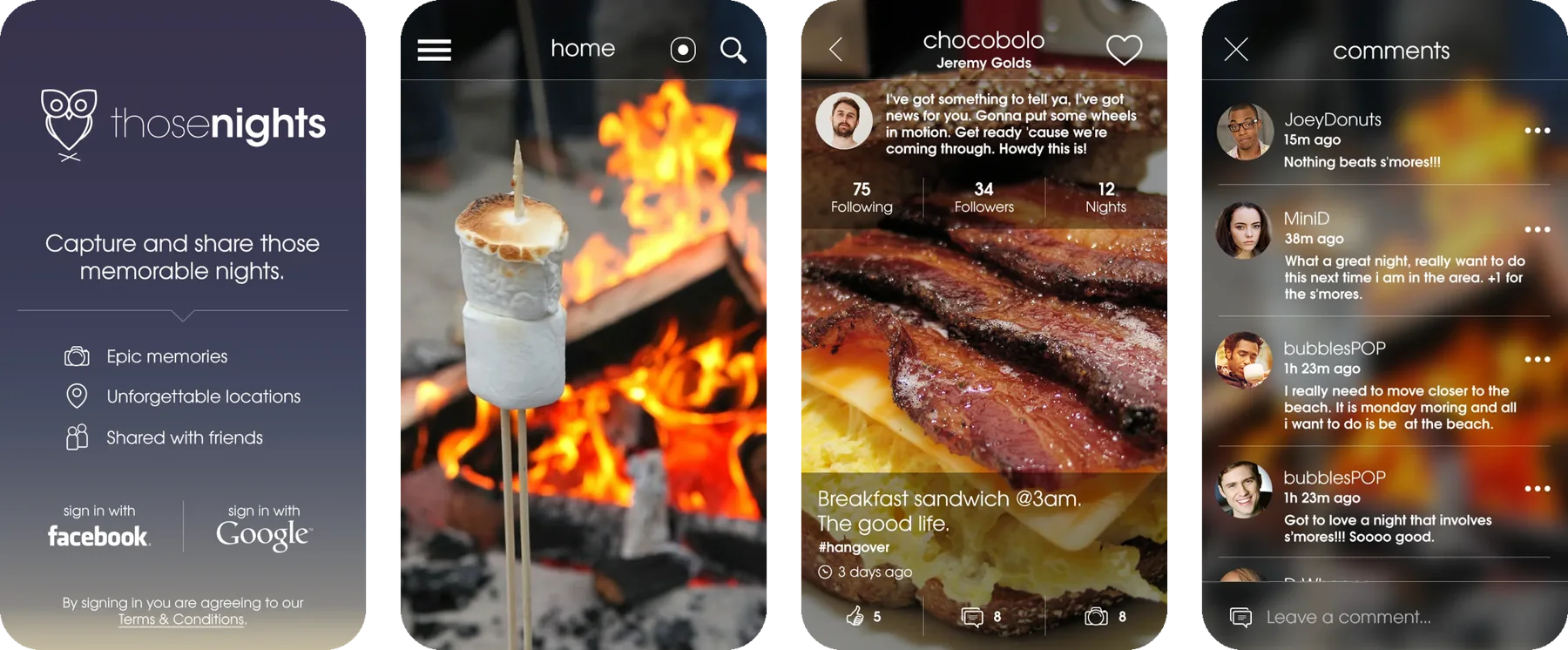
ThoseNights was a concept for an iOS social app that tracks where you go during a time window you set. Afterward you confirm where you were, choose which moments to publish to your profile, and follow your friends' nights.
Scoping
Fitting the vision to the budget
Instead of checking in everywhere, ThoseNights would track you passively during the hours you choose, like a night out. The app records where you went, then lets you corroborate it and curate what's worth sharing.
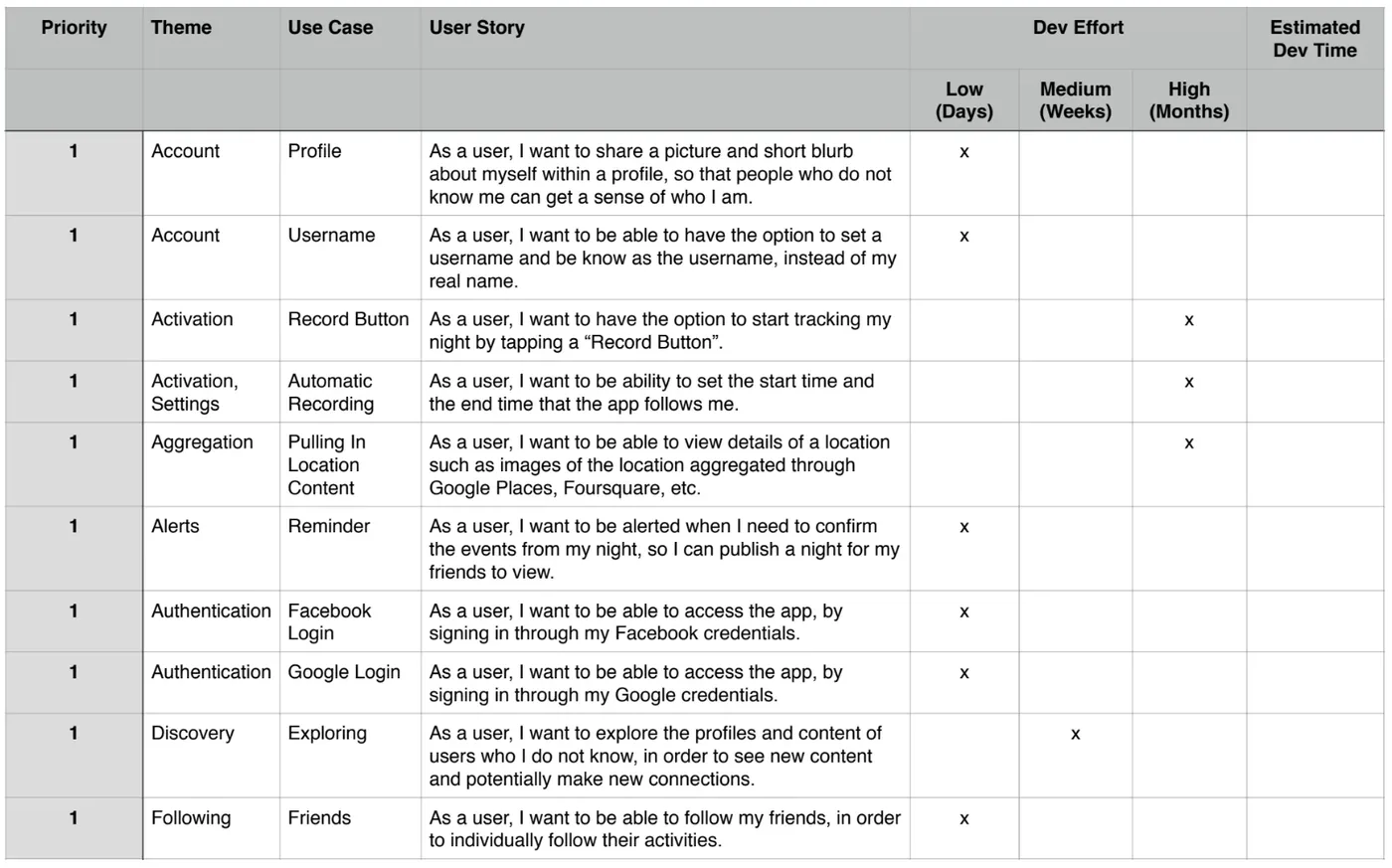
Before starting, I met with the client to understand what she wanted. I scoped her requirements in a product priority matrix, balancing what she felt was important with what we could build within budget.
Page map and flows
Mapping the pages and key interactions
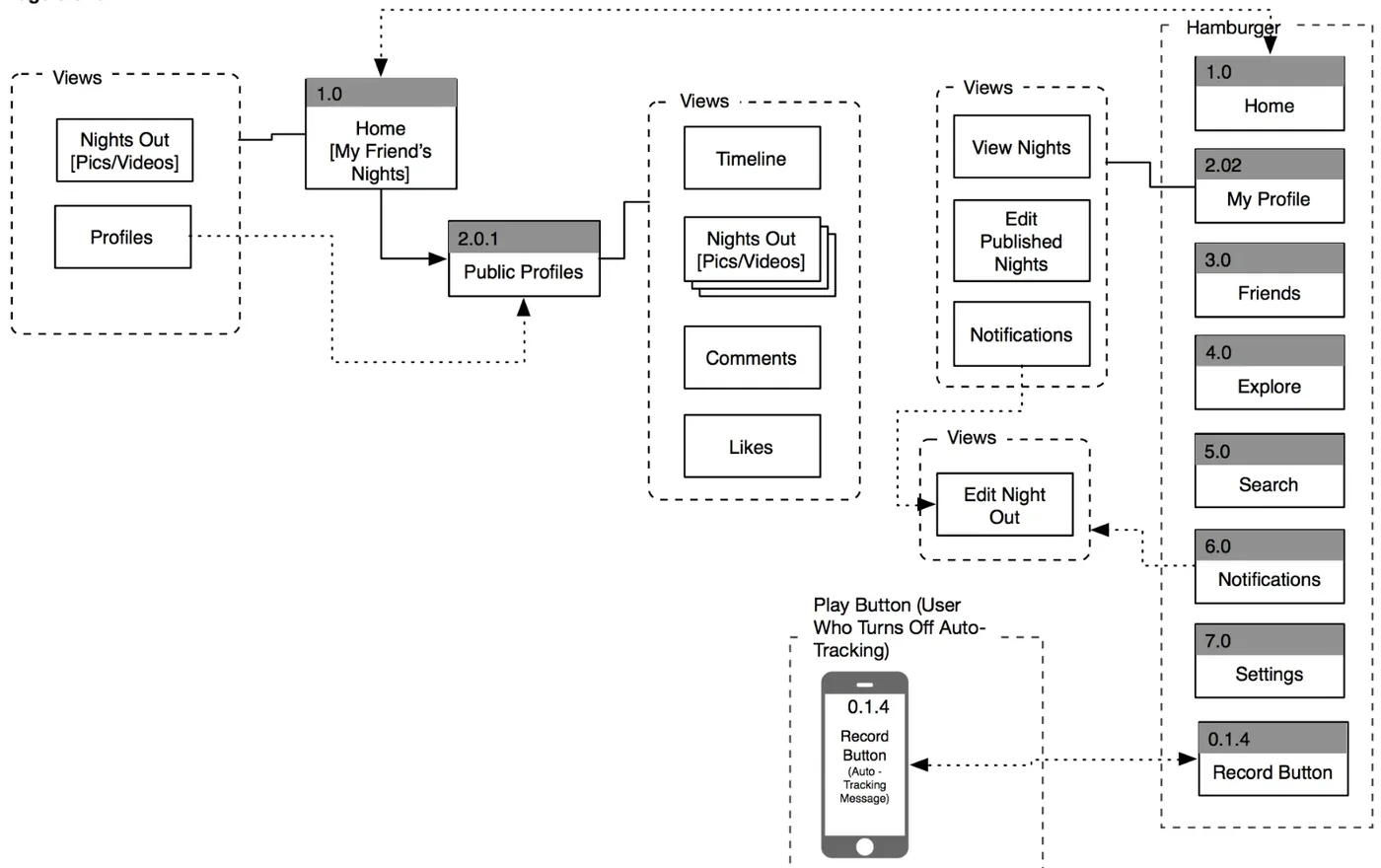
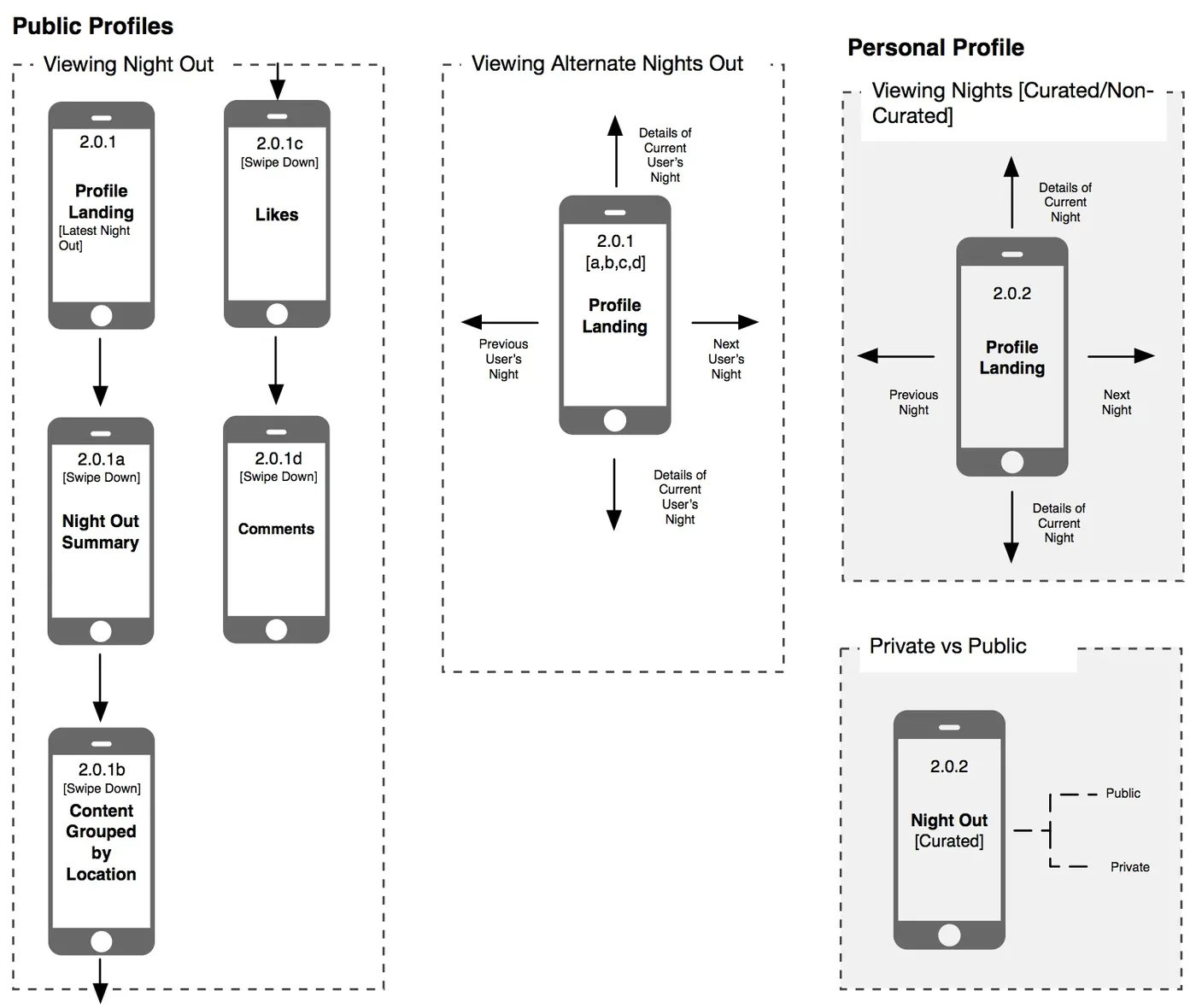
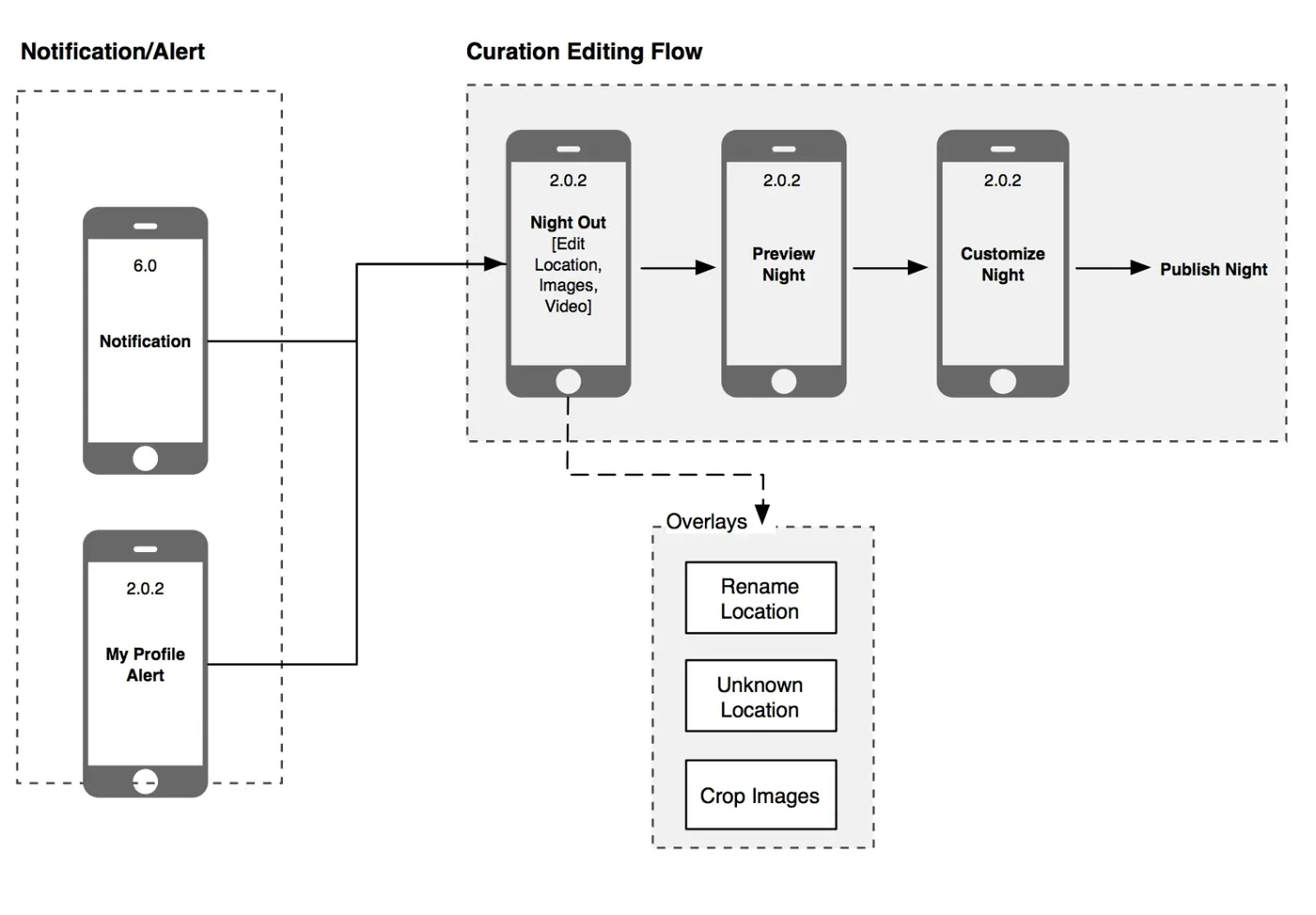
With the client, I mapped every page in the app, then the key flows for profiles and notifications, including what's public and what stays private.
Wireframes
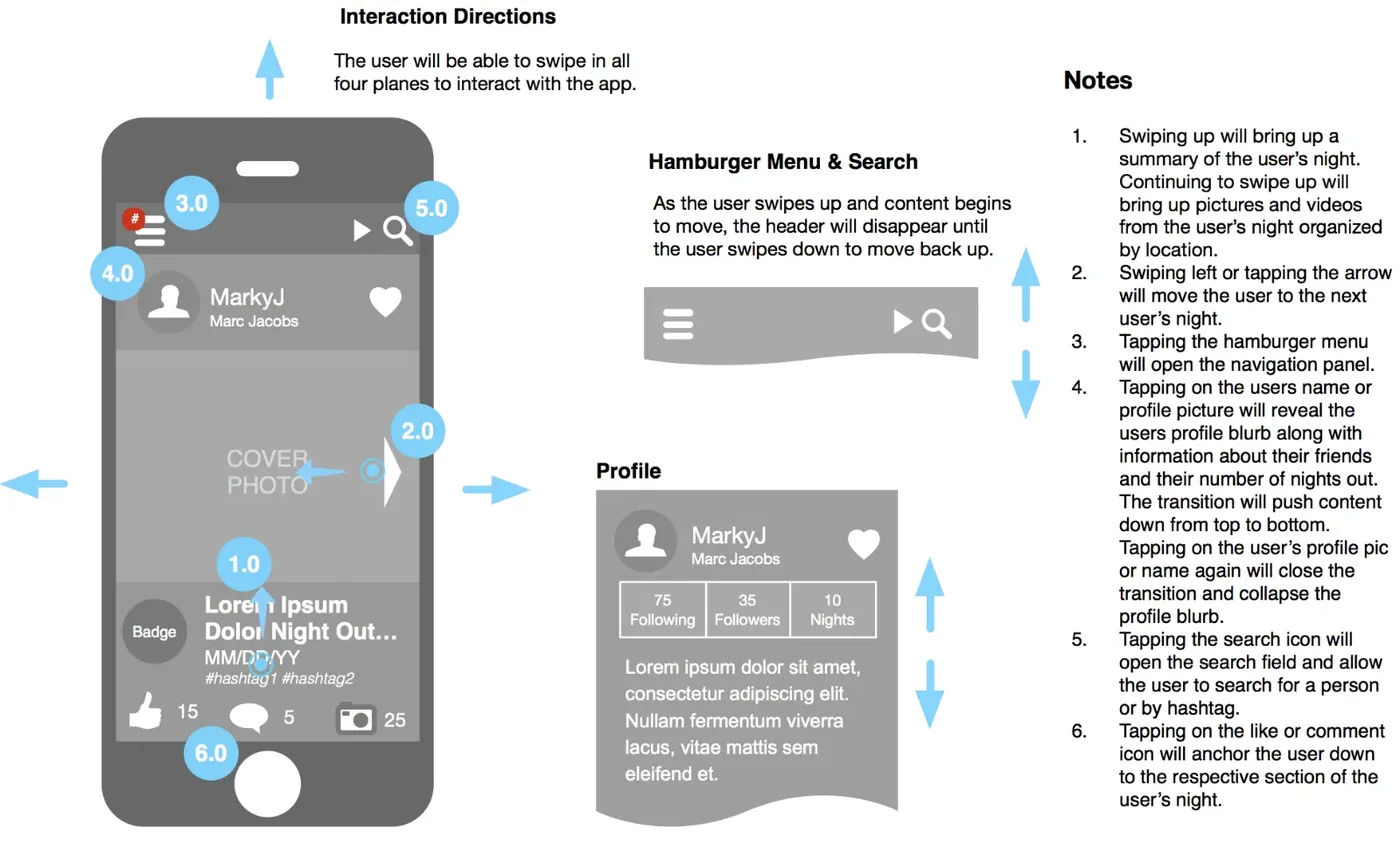
Annotated screens for the whole team
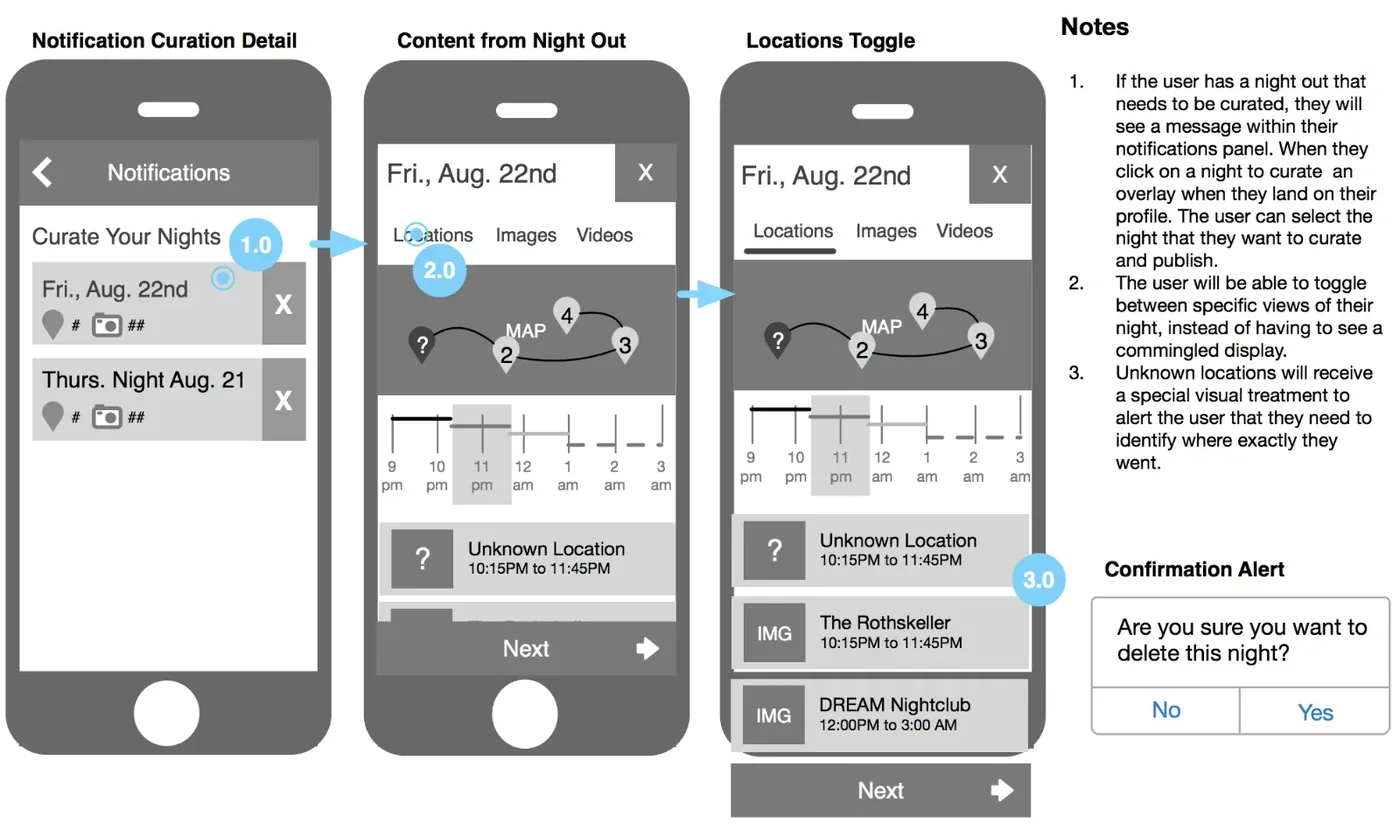
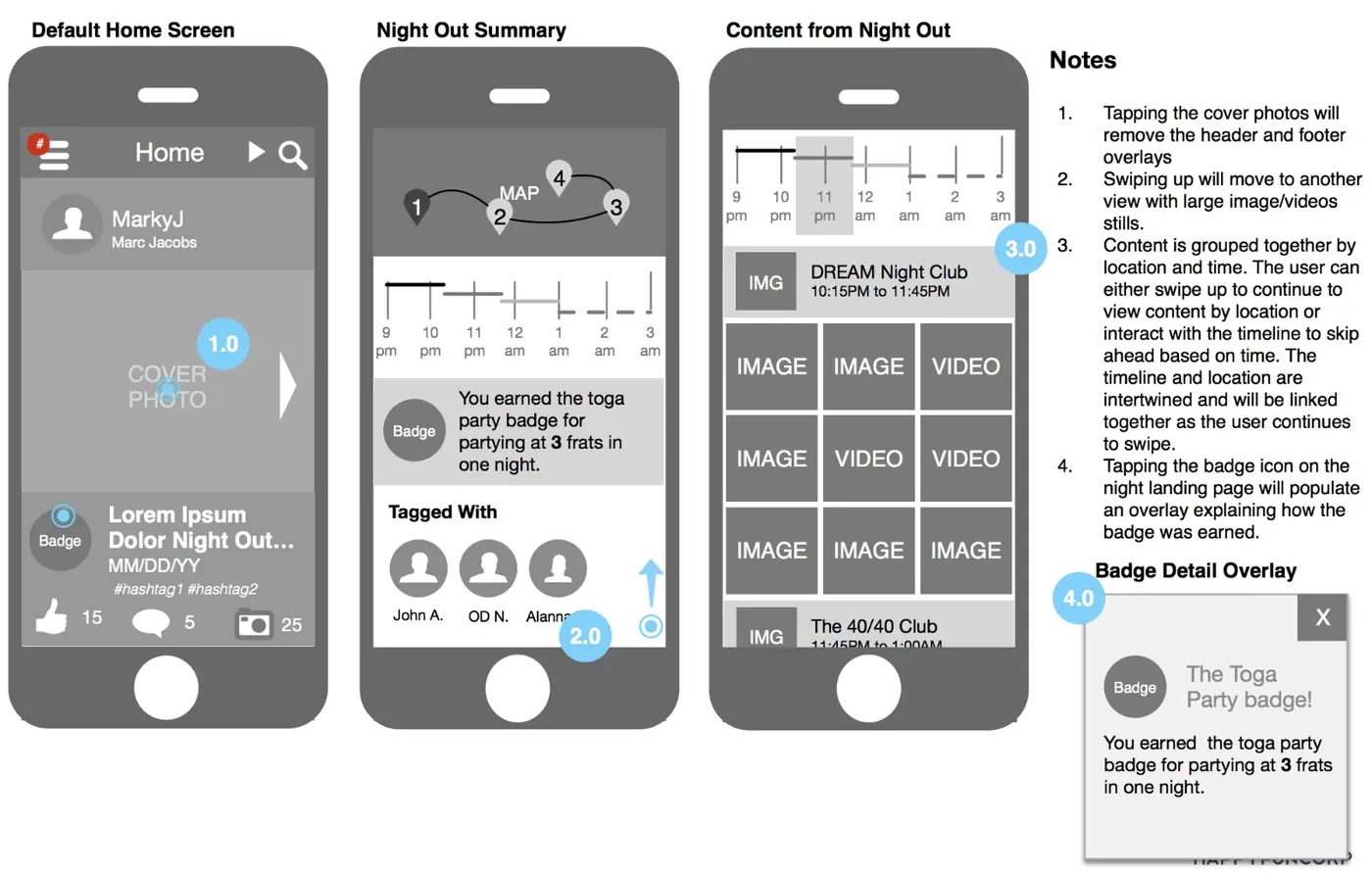
Once the logic and basic interactions were agreed on, I created wireframes from the priority matrix, with notes on how each screen should behave.
Visual design
Key screens

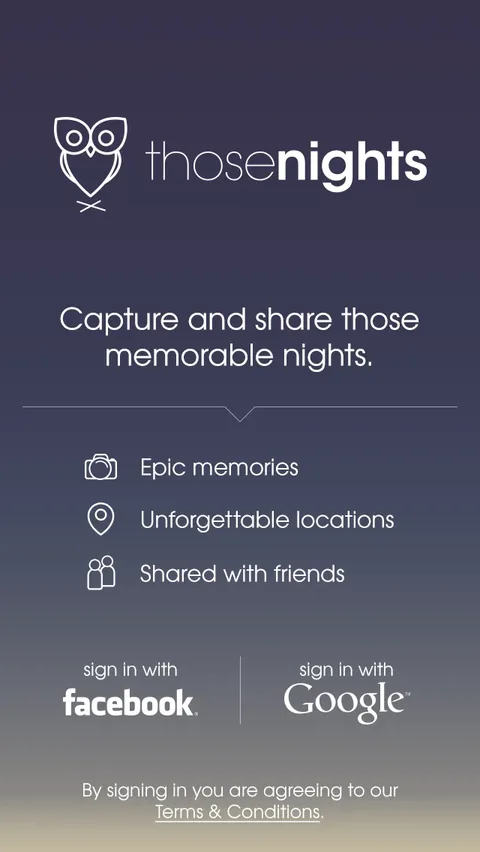
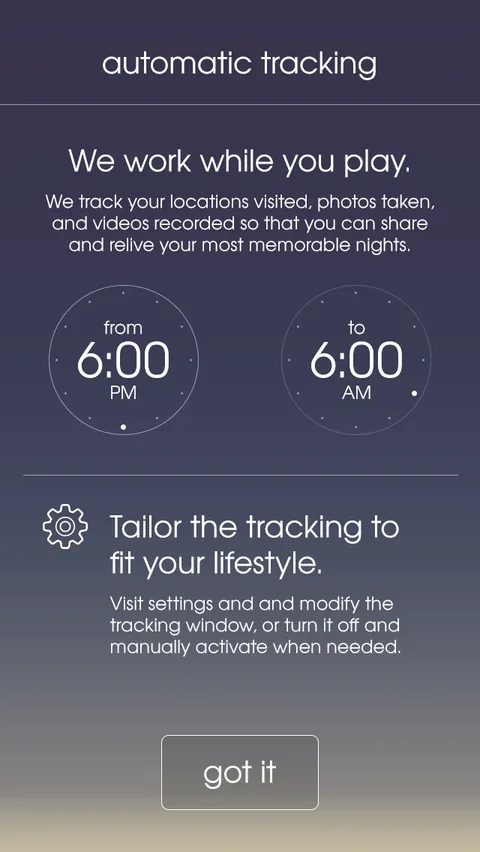
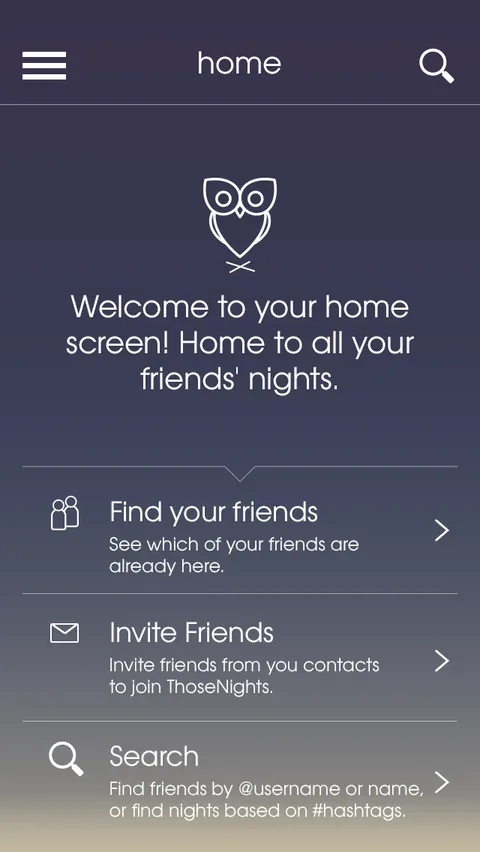
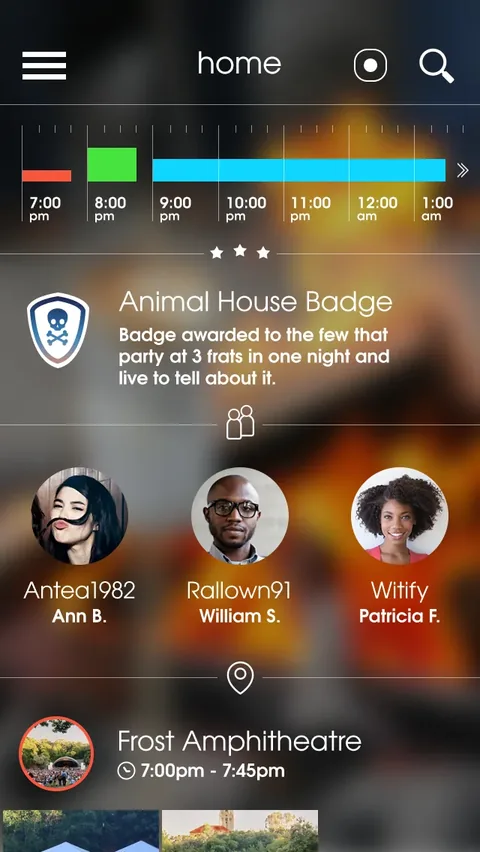
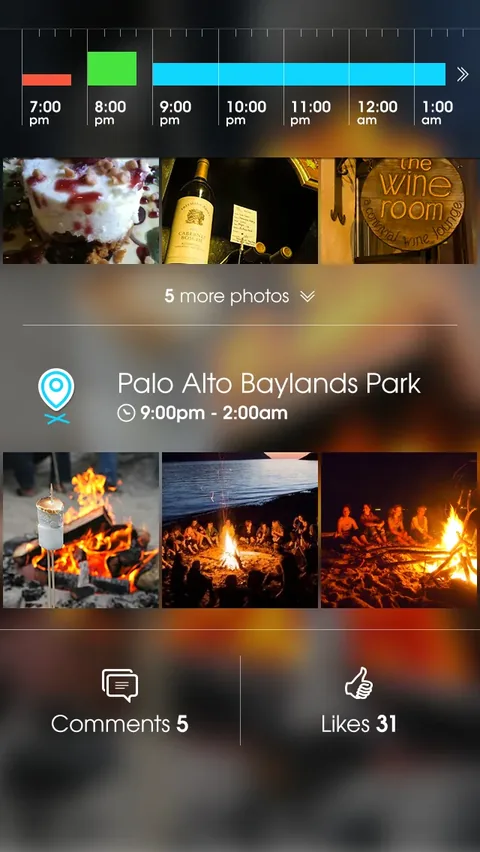
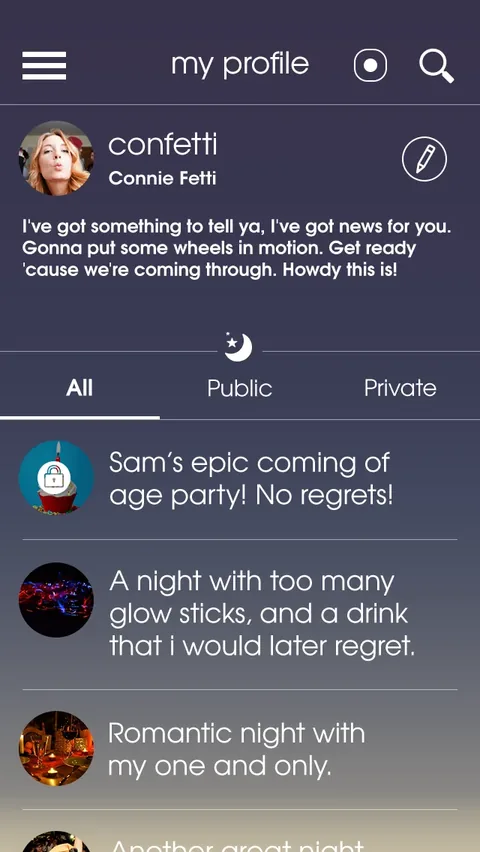
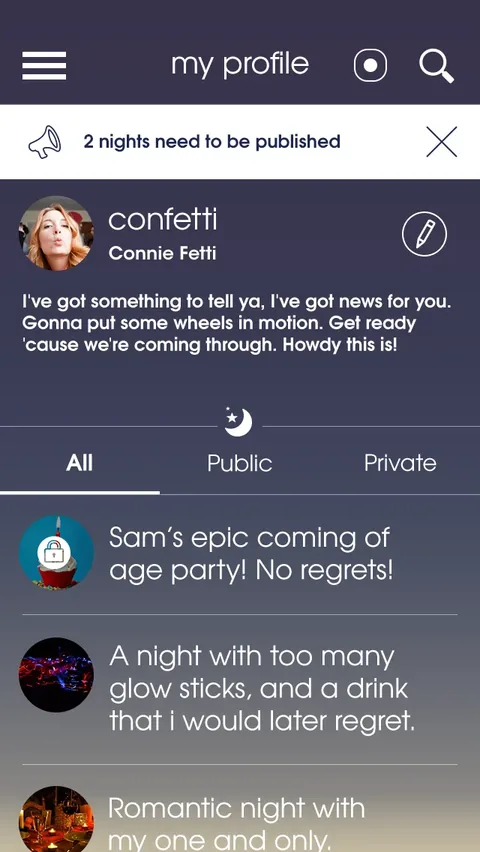

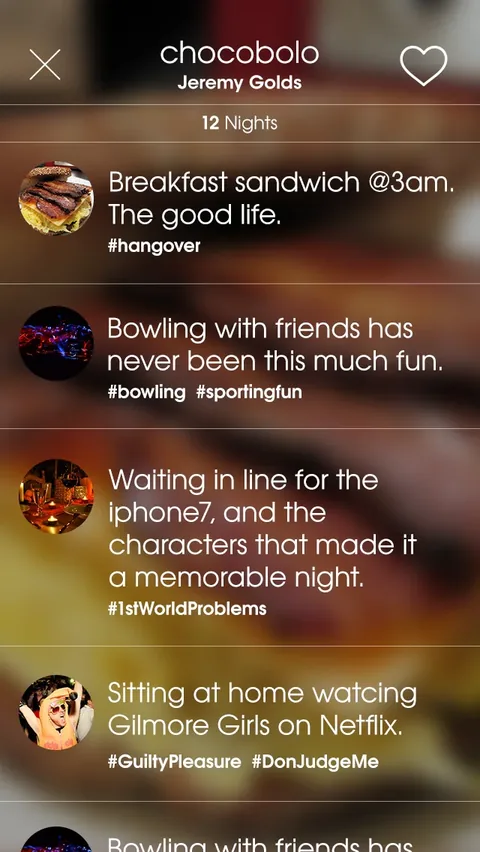
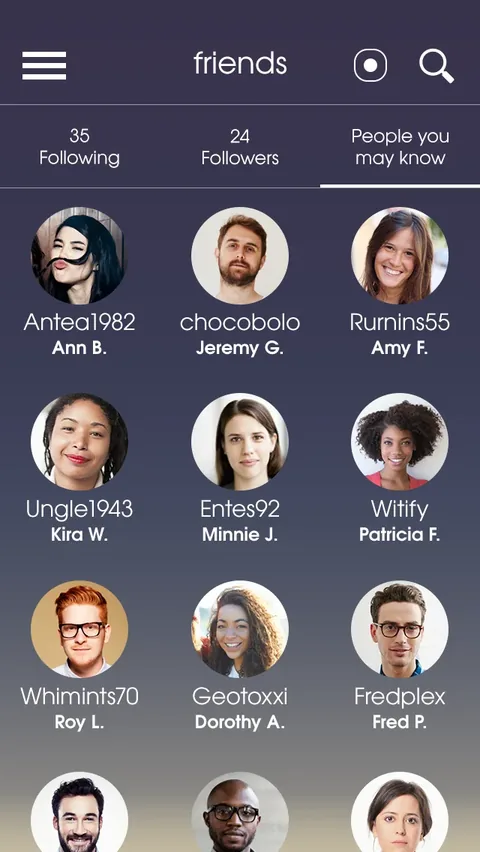
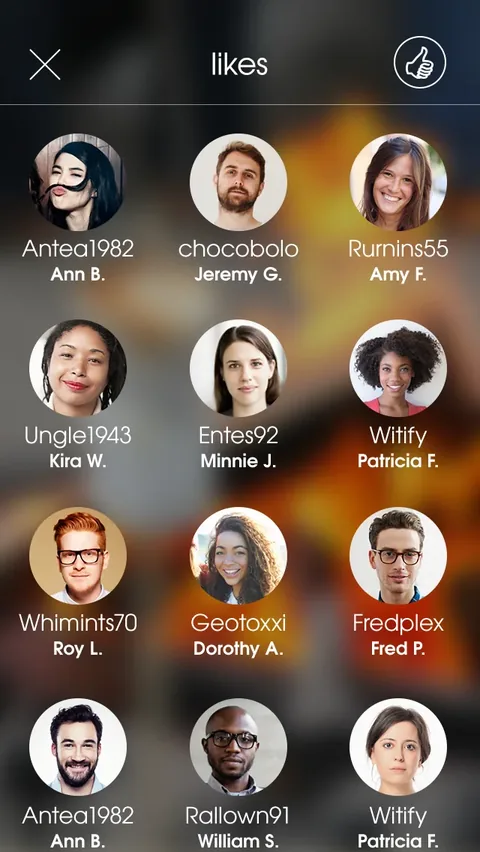
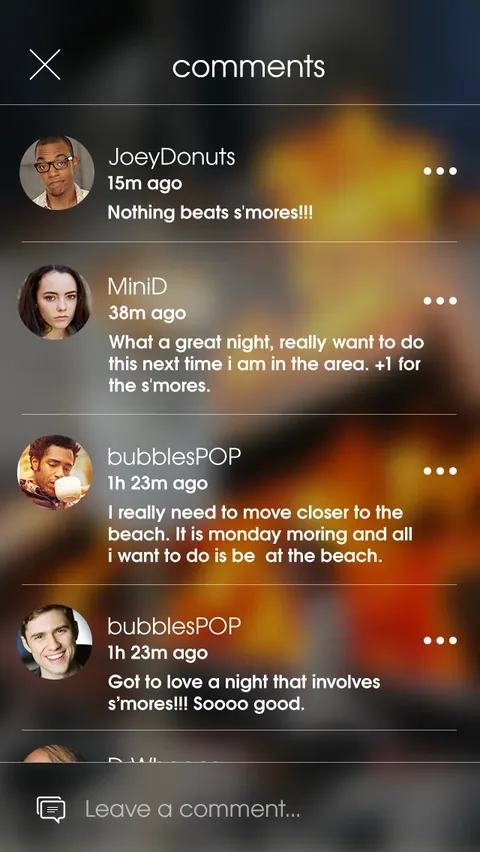
Scroll sideways to see more screens
Redesigned for today
How I'd update it with today's mobile patterns
Passive location tracking asks for a lot of trust, and expectations around privacy are much higher than they were in 2015. This concept keeps the idea and puts people in control of it.
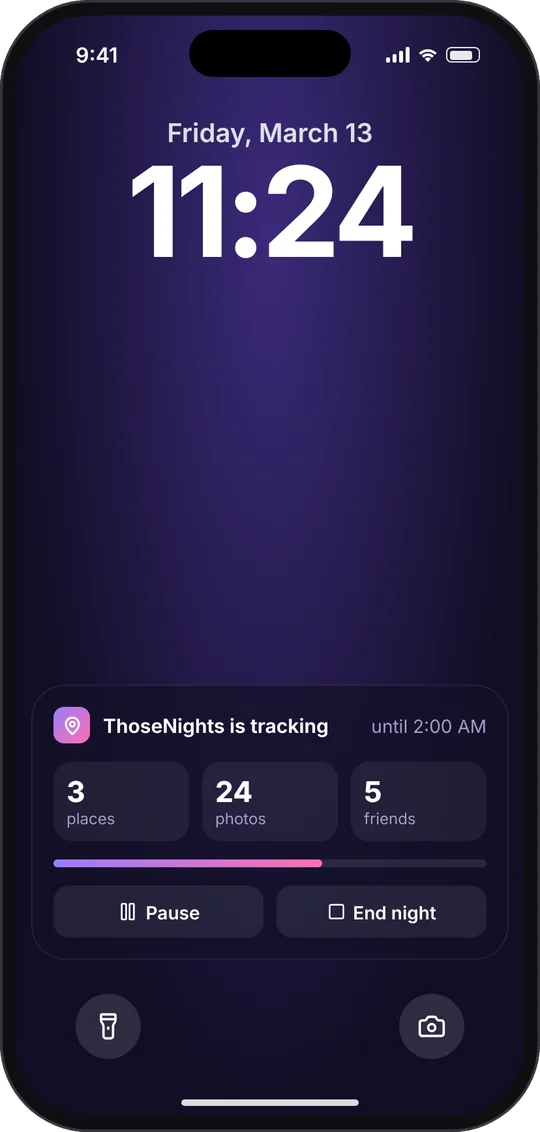
- Always know it's on. A lock screen live activity shows that tracking is running, what it has captured and when it stops, with pause and end controls.
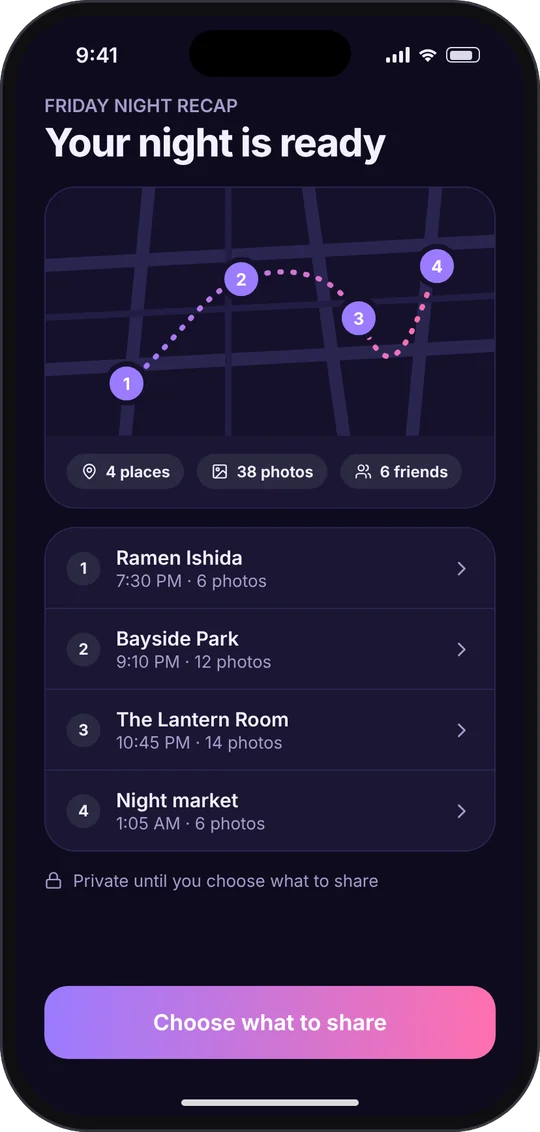
- Private by default. Nothing is shared until you choose, and the recap says so.
- A recap worth opening. The night comes back as a map of places in order, with photos and friends grouped by stop.
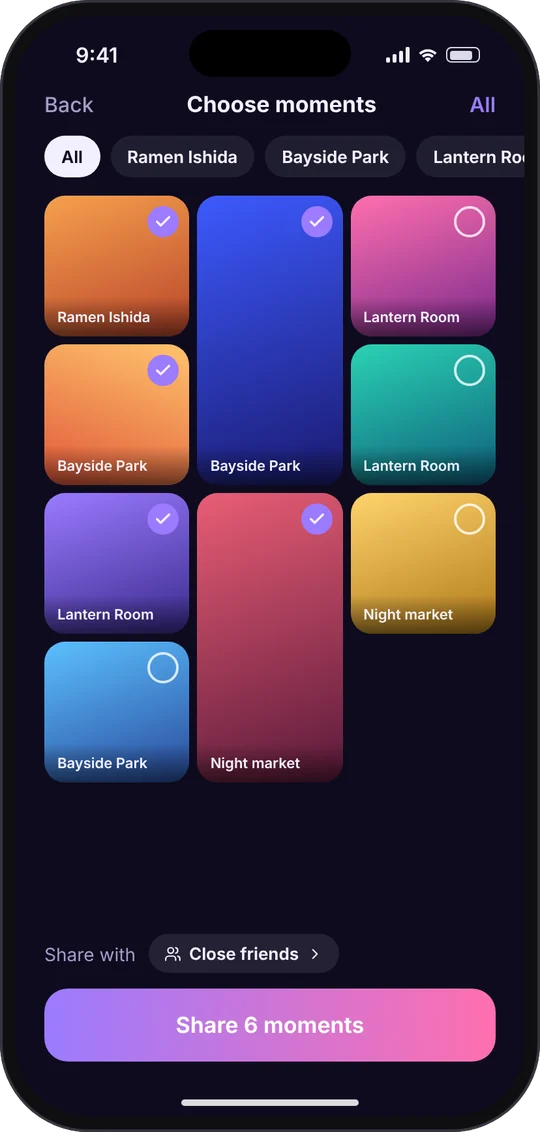
- Choose moments, then the audience. A photo grid with quick multi-select, filters by place and a clear choice of who sees it.
Smart glasses
Hands-free moments with smart glasses
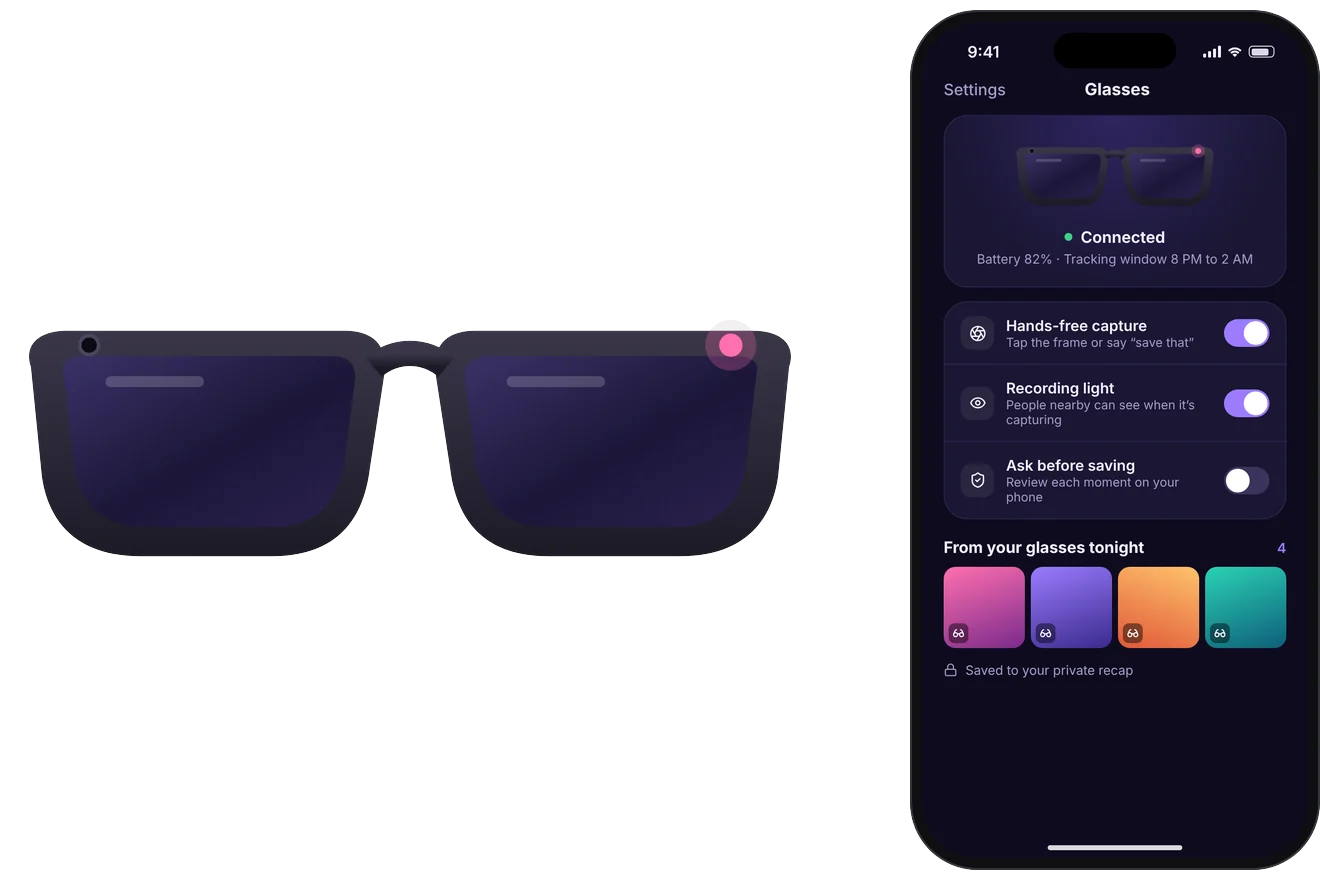
Smart glasses make the original idea more natural than it was in 2015. Instead of pulling out a phone, people could capture moments hands-free during their tracking window, and review them later in the same private recap.
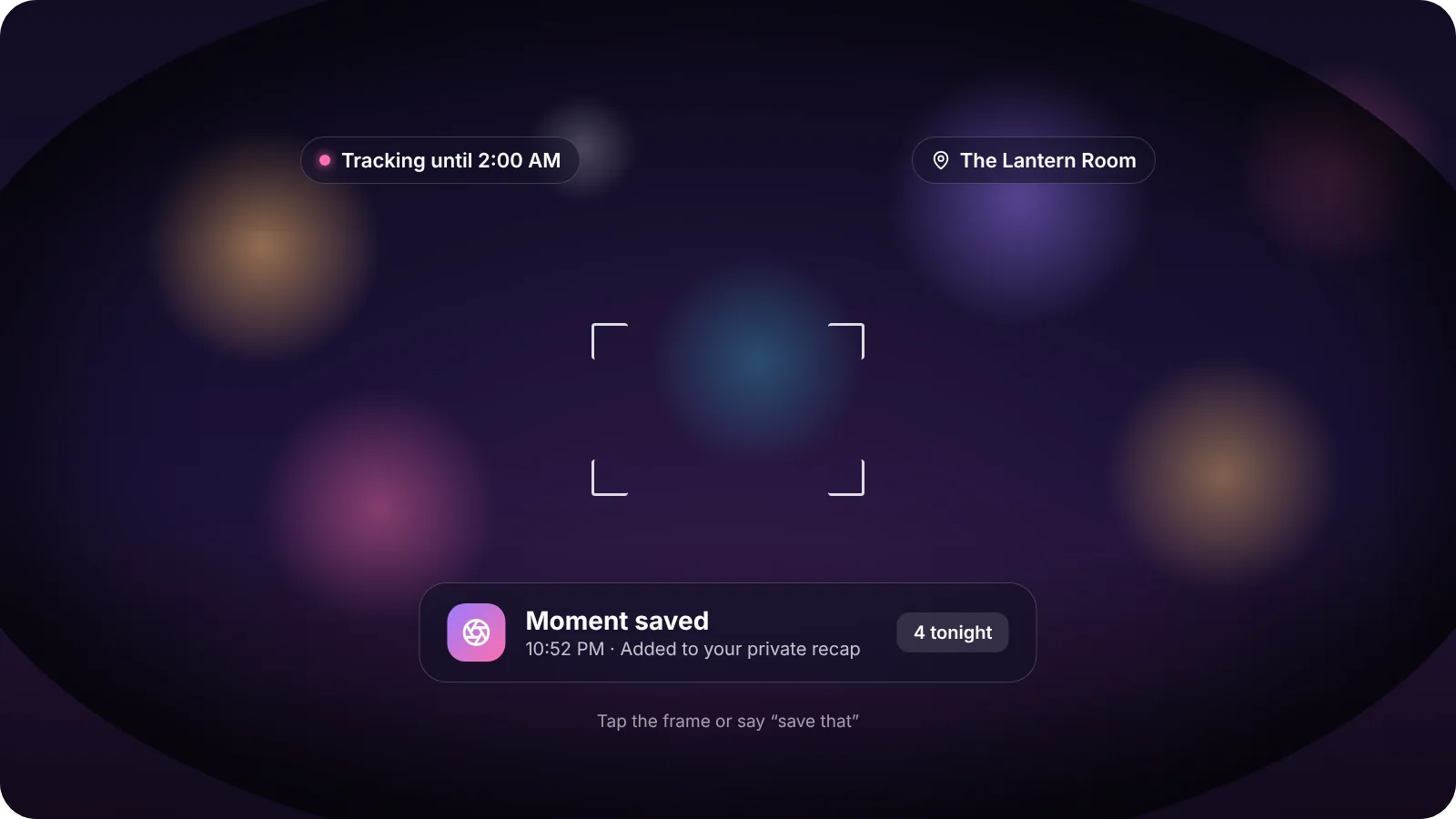
Glasses capture, the phone decides
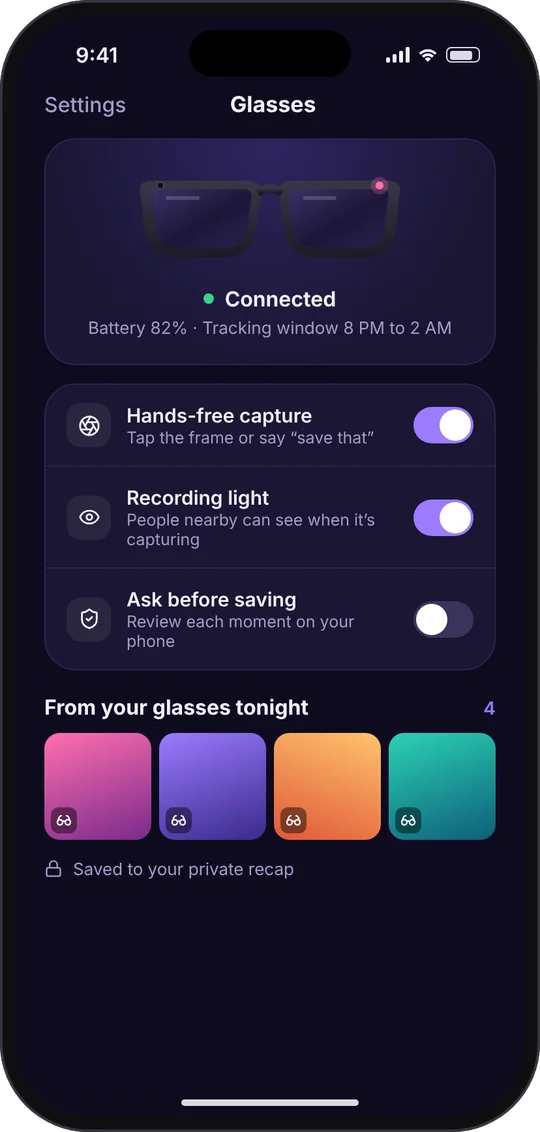
The glasses only do the quick part, capturing a moment with a tap on the frame or by saying "save that." Everything that needs a decision stays on the phone, using the same patterns as the rest of the app.
- A recording light on the frame so people nearby know when it's capturing.
- Ask before saving for people who want to approve each moment on their phone.
- Marked as from your glasses in the recap, so it's clear where each moment came from.
- Same rules as the phone. Tracking is visible, it stops when you say, and nothing is shared until you choose.